
之前看到这个视频:https://www.bilibili.com/video/BV1NSC5BtEem
看这位大佬手写代码的过程实在是赏心悦目啊,令人膜拜。
因为我一直对着色器不甚了解,因此今天有空也跟着大佬敲一遍这个代码。
因为原视频是使用C编写的,所以我下面给出的代码可能略有差异。
实现图像生成
#include <fstream>
#include <iostream>

int main()
{
    const int w = 960;
    const int h = 540;

    std::ofstream ofs("result.ppm", std::ios::binary);
    if(!ofs){
        std::cout << "Error opening file" << std::endl;
        return 1;
    }
    ofs << "P6\n" << w << " " << h << "\n255\n";

    for (int y = 0; y < h; ++y)
    {
        for (int x = 0; x < w; ++x)
        {
            if((x/60 + y/60) % 2 == 0){
                ofs << (char)255 << (char)0 << (char)0;
            }else{
                ofs << (char)0 << (char)0 << (char)0;
            }
        }
    }

    ofs.close();

    return 0;
}
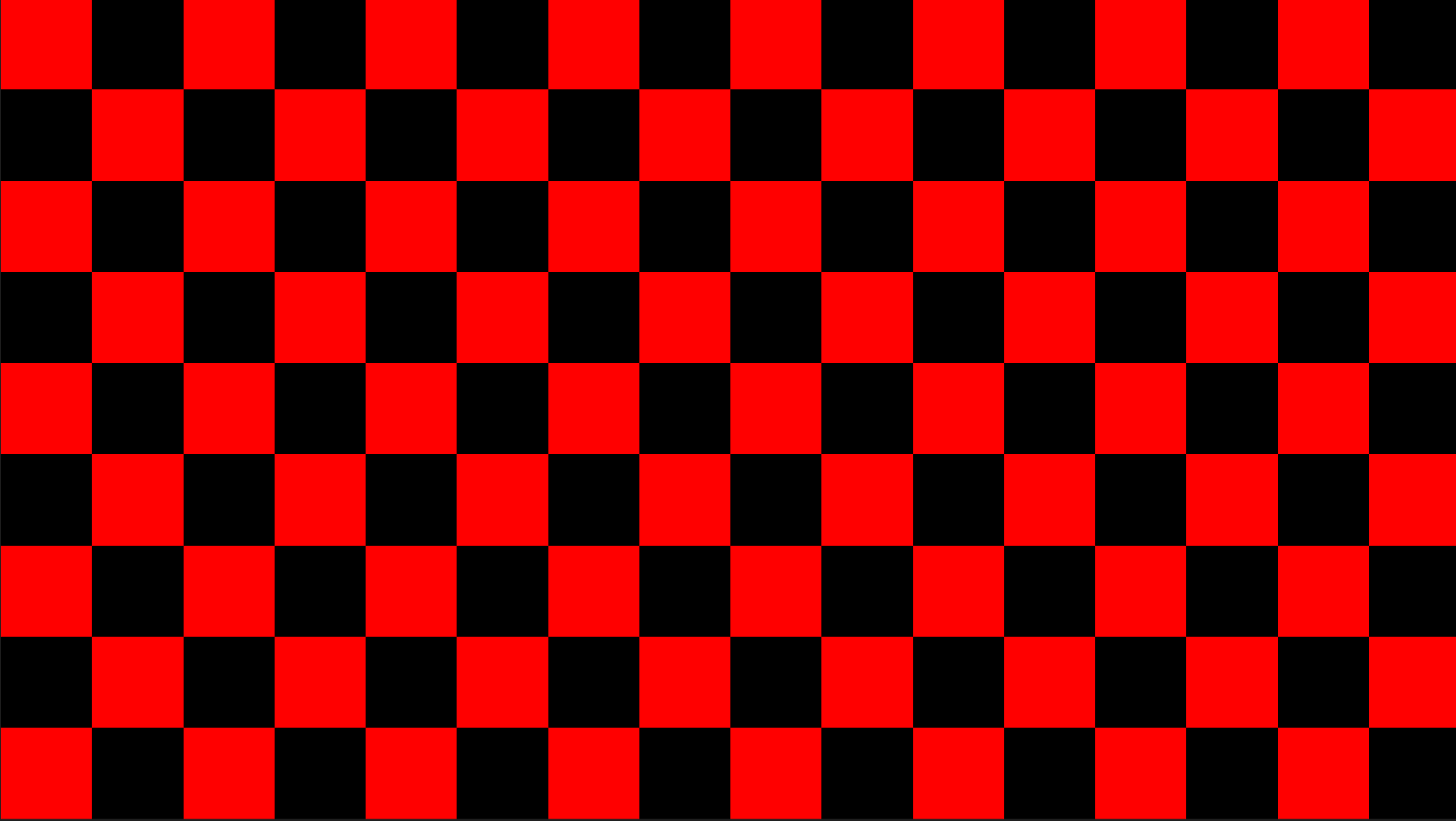
这是一个很简单的C++代码,使用了ppm这种直观的图像格式,上述代码会输出一个棋盘格的图片,如下:
实现视频生成
这里需要提前安装好ffmpeg,并且配置环境变量
新的代码:
#include <fstream>
#include <iostream>
#include <string>

using namespace std;

int main() {
  const int w = 960;
  const int h = 540;
  const int frames = 60;
  for (int i = 0; i < frames; i++) {
    std::ofstream ofs("output/image_" + std::to_string(i) + ".ppm",
                      std::ios::binary);
    if (!ofs) {
      std::cout << "Error opening file" << std::endl;
      return 1;
    }
    ofs << "P6\n" << w << " " << h << "\n255\n";

    for (int y = 0; y < h; ++y) {
      for (int x = 0; x < w; ++x) {
        if (((x+i) / 60 + (y+i) / 60) % 2 == 0) {
          ofs << (char)255 << (char)0 << (char)0;
        } else {
          ofs << (char)0 << (char)0 << (char)0;
        }
      }
    }

    ofs.close();
  }
  return 0;
}
这基本上就是添加了一个循环,并且给x和y的位置判断处添加了一个偏移
生成后你就可以使用这行命令生成视频:
ffmpeg -i .\output\image_%d.ppm -r 60 output.mp4
效果如下:
实现原视频中的shader
vec2 p=(FC.xy*2.-r)/r.y,l,i,v=p*(l+=4.-4.*abs(.7-dot(p,p)));for(;i.y++<8.;o+=(sin(v.xyyx)+1.)*abs(v.x-v.y))v+=cos(v.yx*i.y+i+t)/i.y+.7;o=tanh(5.*exp(l.x-4.-p.y*vec4(-1,1,2,0))/o);其实实现起来非常简单,就是将以上代码转换为C++版本,补全没有的函数,只不过这个着色器是"Golfed"(高尔夫化)的,因此很密集,看起来可能会有点困难。
下面是补全所有函数后的代码:
#include <cmath>
#include <fstream>
#include <iostream>
#include <string>

using namespace std;

struct vec4 {
  float x, y, z, w;
  vec4() : x(0), y(0), z(0), w(0) {}
  vec4(float x, float y, float z, float w) : x(x), y(y), z(z), w(w) {}

  vec4 operator+(float s) const { return vec4(x + s, y + s, z + s, w + s); }
  vec4 operator+(vec4 v) const {
    return vec4(x + v.x, y + v.y, z + v.z, w + v.w);
  }
  vec4 operator*(float s) const { return vec4(x * s, y * s, z * s, w * s); }
  vec4 operator/(vec4 v) const {
    return vec4(x / v.x, y / v.y, z / v.z, w / v.w);
  }
};

struct vec2 {
  float x, y;
  vec2() : x(0), y(0) {}
  vec2(float x, float y) : x(x), y(y) {}
  vec2 operator+(const vec2 &other) const {
    return vec2(x + other.x, y + other.y);
  }
  vec2 operator+(float s) const { return vec2(x + s, y + s); }
  vec2 operator-(const vec2 &other) const {
    return vec2(x - other.x, y - other.y);
  }
  vec2 operator-(float s) const { return vec2(x - s, y - s); }
  vec2 operator*(float s) const { return vec2(x * s, y * s); }
  vec2 operator*(vec2 v) const { return vec2(x * v.x, y * v.y); }
  vec2 operator/(float s) const { return vec2(x / s, y / s); }

  vec4 xyyx() const { return vec4(x, y, y, x); }
  vec2 yx() const { return vec2(y, x); }
  vec2 xy() const { return vec2(x, y); }
};

vec4 &operator+=(vec4 &a, const vec4 &b) {
  a = a + b;
  return a;
}
vec2 &operator+=(vec2 &a, const vec2 &b) {
  a = a + b;
  return a;
}
vec2 &operator+=(vec2 &a, float s) {
  a = a + s;
  return a;
}
vec4 operator*(float s, vec4 v) { return v * s; }
vec4 operator-(double s, vec4 v) { return vec4(s - v.x, s - v.y, s - v.z, s - v.w); }

vec2 cos(const vec2 &v) { return vec2(cosf(v.x), cosf(v.y)); }

vec4 sin(const vec4 &v) { return vec4(sinf(v.x), sinf(v.y), sinf(v.z), sinf(v.w)); }

vec2 abs(const vec2 &v) { return vec2(fabsf(v.x), fabsf(v.y)); }

vec4 exp(const vec4 &v) { return vec4(expf(v.x), expf(v.y), expf(v.z), expf(v.w)); }

vec4 tanh(const vec4 &v) {
  return vec4(tanhf(v.x), tanhf(v.y), tanhf(v.z), tanhf(v.w));
}

float dot(vec2 a, vec2 b) { return a.x * b.x + a.y * b.y; }

int main() {
  const int w = 960;
  const int h = 540;
  const int frames = 60;
  for (int frame = 0; frame < frames; frame++) {
    std::ofstream ofs("output/image_" + std::to_string(frame) + ".ppm",
                      std::ios::binary);
    if (!ofs) {
      std::cout << "Error opening file" << std::endl;
      return 1;
    }
    ofs << "P6\n" << w << " " << h << "\n255\n";
    vec2 r = vec2((float)w, (float)h);
    float t = (float)frame / frames;
    for (int y = 0; y < h; ++y) {
      for (int x = 0; x < w; ++x) {
        vec4 o;
        vec2 FC = vec2((float)x, (float)y);

        vec2 p=(FC.xy()*2.-r)/r.y,l,i,v=p*(l+=4.-4.*abs(.7-dot(p,p)));for(;i.y++<8.;o+=(sin(v.xyyx())+1.)*abs(v.x-v.y))v+=cos(v.yx()*i.y+i+t)/i.y+.7;o=tanh(5.*exp(l.x-4.-p.y*vec4(-1,1,2,0))/o);

        unsigned char red = static_cast<unsigned char>(o.x * 255);
        unsigned char green = static_cast<unsigned char>(o.y * 255);
        unsigned char blue = static_cast<unsigned char>(o.z * 255);
        // out put
        ofs.write((char *)&red, 1);
        ofs.write((char *)&green, 1);
        ofs.write((char *)&blue, 1);
      }
    }

    ofs.close();
  }
  return 0;
}
渲染效果:
实现更复杂的3D Shader渲染
实际上,对于着色器来说,它基本上就是传入一个坐标,然后根据特定的计算得出这个坐标的颜色,仅此而已,对于复杂的3D着色器,也只是需要补充一些GLSL里的函数,使用C++来实现。我这里从GLSLSandBox上复制了一个别人实现的稍复杂一些的3D着色器,接下来,我将用C++来实现它。
#include <fstream>
#include <iostream>
#include <string>
#include <cmath>

using namespace std;

struct vec3 {
    float x, y, z;
    vec3() : x(0), y(0), z(0) {}
    vec3(float x, float y, float z) : x(x), y(y), z(z) {}
    vec3 operator+(const vec3& other) const {
        return vec3(x + other.x, y + other.y, z + other.z);
    }
    vec3 operator-(const vec3& other) const {
        return vec3(x - other.x, y - other.y, z - other.z);
    }
    vec3 operator*(float s) const {
        return vec3(x * s, y * s, z * s);
    }
    vec3 operator/(float s) const {
        return vec3(x / s, y / s, z / s);
    }
};

vec3 multiply(const vec3& a, float mat[9]) {
    return vec3(a.x * mat[0] + a.y * mat[3] + a.z * mat[6],
                a.x * mat[1] + a.y * mat[4] + a.z * mat[7],
                a.x * mat[2] + a.y * mat[5] + a.z * mat[8]);
}

vec3 abs_fract_minus_half(const vec3& p) {
    vec3 result;
    result.x = fabs(p.x - floor(p.x) - 0.5f);
    result.y = fabs(p.y - floor(p.y) - 0.5f);
    result.z = fabs(p.z - floor(p.z) - 0.5f);
    return result;
}

vec3 field(vec3 p) {
    p = p * 0.1f;
    float f = 0.1f;

    for (int i = 0; i < 3; i++) {
        p = vec3(p.y, p.z, p.x);
        p = abs_fract_minus_half(p);
        p = p * 3.0f;
        f *= 3.0f;
    }

    p = vec3(p.x * p.x, p.y * p.y, p.z * p.z);

    vec3 temp = vec3(p.x + p.y, p.y + p.z, p.z + p.x);  // p + p.yzx
    return vec3(
        sqrt(temp.x) / f - 0.05f,
        sqrt(temp.y) / f - 0.05f,
        sqrt(temp.z) / f - 0.05f
    );
}

float length(const vec3& v) {
    return sqrt(v.x*v.x + v.y*v.y + v.z*v.z);
}

vec3 normalize(const vec3& v) {
    float len = length(v);
    if (len > 0.0f) {
        return v / len;
    }
    return v;
}

float min3(float a, float b, float c) {
    return (a < b) ? (a < c ? a : c) : (b < c ? b : c);
}


int main() {
    const int w = 960;
    const int h = 540;
    const int frames = 60;
    const int MAXITER = 10;

    for (int frame = 0; frame < frames; frame++) {
        std::ofstream ofs("output/image_" + std::to_string(frame) + ".ppm",
                          std::ios::binary);
        if (!ofs) {
            std::cout << "Error opening file" << std::endl;
            return 1;
        }
        ofs << "P6\n" << w << " " << h << "\n255\n";

        float time = frame * 0.1f;


        for (int y = 0; y < h; ++y) {
            for (int x = 0; x < w; ++x) {
                float u = (x - w * 0.5f) / w;
                float v = (y - h * 0.5f) / w;
                vec3 dir = normalize(vec3(u, v, 1.0f));
                float a = time * 0.2f;

                vec3 pos = vec3(0.0f, time * 0.1f, 0.0f);

                float rotY[9] = {
                    1.0f, 0.0f, 0.0f,
                    0.0f, cos(a), -sin(a),
                    0.0f, sin(a), cos(a)
                };
                dir = multiply(dir, rotY);

                float rotX[9] = {
                    cos(a), 0.0f, -sin(a),
                    0.0f, 1.0f, 0.0f,
                    sin(a), 0.0f, cos(a)
                };
                dir = multiply(dir, rotX);

                vec3 color = vec3(0.0f, 0.0f, 0.0f);

                // 分形
                for (int i = 0; i < MAXITER; i++) {
                    vec3 f2 = field(pos);
                    float f = min3(f2.x, f2.y, f2.z);
                    pos = pos + dir * f;
                    float weight = float(MAXITER - i);
                    color = color + vec3(
                        weight / (f2.x + 0.01f),
                        weight / (f2.y + 0.01f),
                        weight / (f2.z + 0.01f)
                    );
                }

                float scale = 0.09f / float(MAXITER * MAXITER);
                vec3 color3 = vec3(
                    1.0f - 1.0f / (1.0f + color.x * scale),
                    1.0f - 1.0f / (1.0f + color.y * scale),
                    1.0f - 1.0f / (1.0f + color.z * scale)
                );

                color3 = vec3(color3.x * color3.x, color3.y * color3.y, color3.z * color3.z);

                float gray = (color3.x + color3.y + color3.z) / 3.0f;

                gray = fmax(0.0f, fmin(1.0f, gray));

                // 转换为灰度值
                unsigned char pixel = static_cast<unsigned char>(gray * 255);
                ofs.write((char*)&pixel, 1);
                ofs.write((char*)&pixel, 1);
                ofs.write((char*)&pixel, 1);
            }
        }

        ofs.close();
        cout << frame << endl;
    }

    return 0;
}
以下是渲染结果:
总结
实现这个代码实际上没什么用处,着色器若果脱离了GPU的并行加速能力是毫无意义的。不过这也有助于理解GPU渲染的基本逻辑,其实gpu运行也只是把每个像素的计算并行化了而已。
但是我觉得实现这个还是很有意思,哈哈哈